Hubitat Alexa Routine Trigger – trigger Alexa routines from Hubitat (no custom skills)
Overview
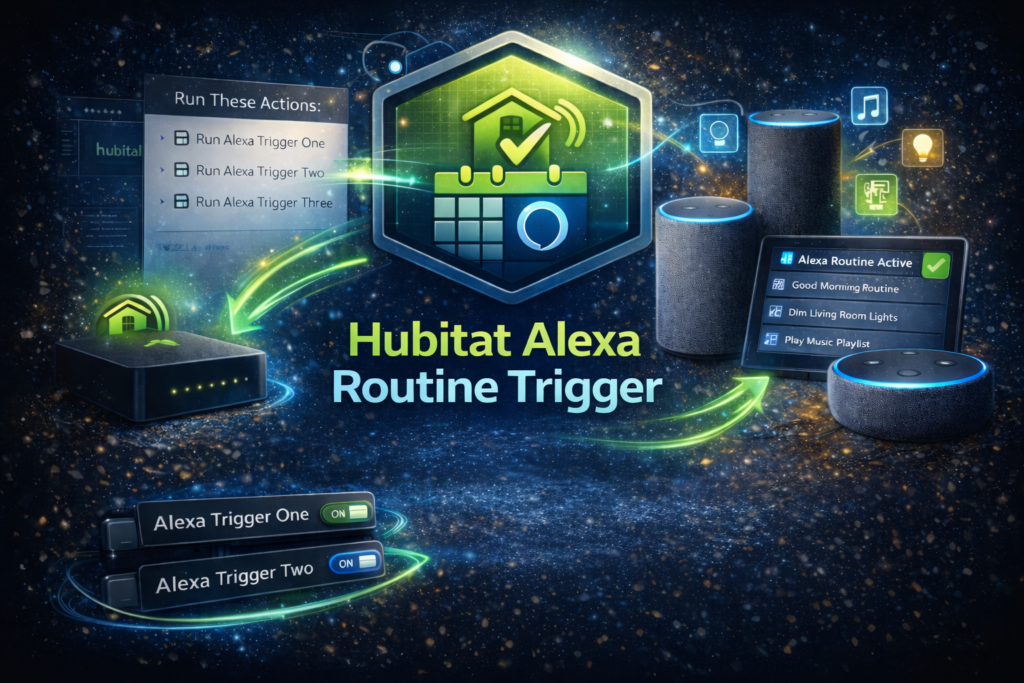
Hubitat Alexa Routine Trigger is a Hubitat app + virtual device drivers that let you trigger Alexa routines from Hubitat using virtual contact sensors. Hubitat “opens” the contact sensor, Alexa sees the Open event, and your routine runs. The contact sensor then auto-closes after a configurable delay so it is ready for the next trigger.
Common use cases
- Trigger Alexa routines from Hubitat automations
- Use Hubitat rules to drive Alexa announcements, music, smart plugs, scenes, and more
- Fire multiple Alexa routines in a controlled sequence using trigger groups (advanced)
How it works
- The app creates one or more virtual contact sensors that act as Alexa triggers.
- Hubitat automations (Rule Machine, Button Controller, schedules, etc.) activate the trigger.
- Alexa runs a routine when the contact sensor reports Open.
- The device auto-resets (closes) after a defined number of seconds.
Setup and configuration
Two setup options
Option A – Single trigger (recommended)
Create one virtual contact sensor, expose it to Alexa, and build one Alexa routine that triggers on Open.
Option B – Trigger group (advanced)
Create multiple virtual contact sensors plus a group controller switch. When you activate the group, it fires the triggers in order, with an optional delay between each one. This is useful when you want Hubitat to trigger multiple Alexa routines sequentially and reliably.
Prerequisites
- Hubitat Elevation hub
- Amazon Alexa account + Alexa app
- Hubitat built-in integration: Amazon Echo Skill (required so Alexa can discover the trigger devices)
Important: this project relies on Hubitat’s Amazon Echo Skill. It does not replace it.
Install (Hubitat)
You will install:
- the Hubitat app
- the virtual device drivers used by the app
Install the drivers
- Add each driver under Drivers Code in Hubitat and save.
Install the app
- Add the app under Apps Code in Hubitat, save, then add it as a User App.
Create your triggers
Single trigger
- Pick a device name
- Set Reset after (seconds)
- Set Ignore repeated triggers from Hubitat within (ms)
- Create the trigger device
Trigger group (advanced)
- Pick a group name
- Choose the number of trigger devices
- Set Reset after (seconds)
- Set Ignore repeated triggers from Hubitat within (ms)
- Set Delay between trigger devices (ms)
- Create the trigger group
Alexa setup (required)
Step 1 – enable Hubitat’s Amazon Echo Skill
- In Hubitat, add the built-in Amazon Echo Skill app and link it to Alexa.
Step 2 – expose your trigger device(s) to Alexa
- In the Amazon Echo Skill app, select the trigger device(s) created by this project.
- Single trigger: select the virtual contact sensor
- Trigger group: select each trigger device (contact sensors). Optionally also expose the group controller switch.
Step 3 – discover devices in Alexa
- In the Alexa app, run device discovery. The triggers should appear as contact sensors.
Create Alexa routines
Create one Alexa routine per trigger device:
- When this happens – Smart Home – select the contact sensor – choose Open
- Add the actions you want Alexa to run
- Save
Tip for trigger groups
Each trigger device maps to its own Alexa routine. When you run the group from Hubitat, it fires trigger 1, then trigger 2, then trigger 3, etc., using the delay you configured.
Understanding the key settings
Reset after (seconds)
How long the trigger stays Open before it automatically closes again. Default is typically 5 seconds. Setting this to 0 disables auto-close (not recommended for most users).
Ignore repeated triggers from Hubitat within (ms)
Prevents accidental double-fires caused by rapid repeated events. Set to 0 to disable. Applies to both single triggers and trigger groups.
Delay between trigger devices (ms) (groups only)
Spacing between each trigger firing when you run the group. Set to 0 to fire all triggers at the same time. If Alexa misses triggers, try 300–800 ms.
Testing
Recommended test order:
- Confirm Alexa can see the trigger device after discovery
- Create an Alexa routine that triggers on Open
- In Hubitat, use the app’s test function to fire the trigger
- Watch the Alexa routine run, then confirm the contact sensor auto-closes
Troubleshooting
Alexa routine does not trigger
- Confirm the trigger device is selected in Hubitat’s Amazon Echo Skill app
- Re-run Alexa device discovery
- Confirm the routine triggers on Open (not Close)
- Increase Reset after (seconds) slightly (example: 7–10)
- For groups, increase Delay between trigger devices (ms) to 300–800
Triggers fire inconsistently in a group
- Increase Delay between trigger devices (ms)
- Avoid extremely low delays unless your environment is proven stable
Double-fires
- Increase Ignore repeated triggers from Hubitat within (ms) (example: 250–750)
Security and privacy notes
- This project creates local virtual devices and uses Hubitat’s Amazon Echo Skill to share them with Alexa.
- Alexa routine execution occurs in Amazon’s ecosystem (as expected for Alexa routines).
- No additional cloud services are required by this project.
Support
If you need help, use the Support page on this site and include:
Relevant logs or screenshots (redact any sensitive details)teps to reproduce, and any relevant logs (redacting keys/tokens).
- Project name and version
- Hubitat model/firmware
- What you expected vs what happened
- Steps to reproduce